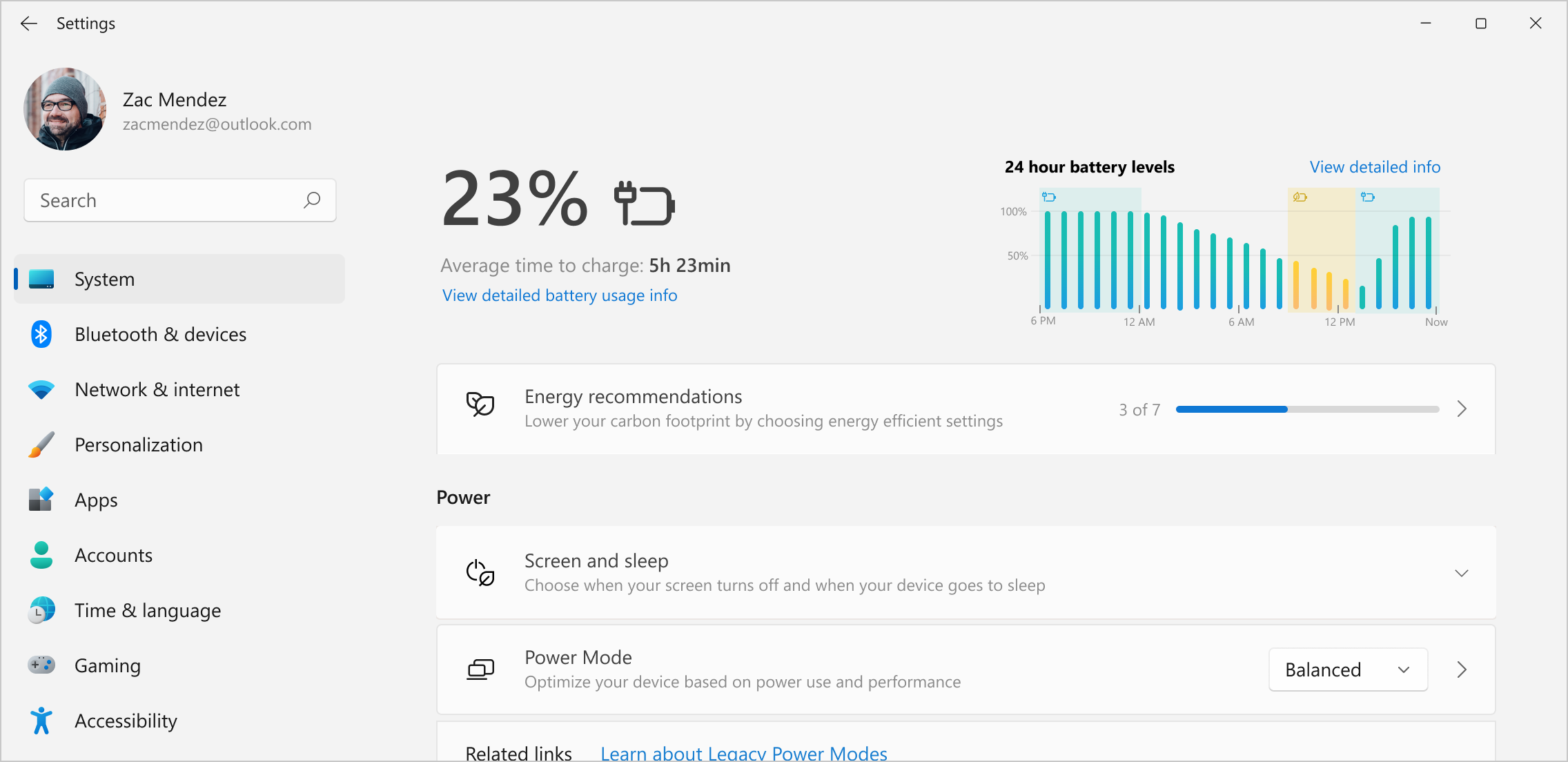
Overview
As Principal UX Manager, I led two designers and two researchers through the end‑to‑end overhaul of Energy Saver, Smart Charging, Energy Recommendations, and core Power Settings, partnering with content and graphic designers from adjacent teams. I made the final UX calls on defaults and naming and helped prioritize the experiences that shipped over more complex alternatives.
Windows serves an ecosystem of more than 1.5 billion devices, making even small improvements consequential at scale. As generative workloads, hybrid work, and sustainability commitments accelerated, we set out to make power management clear, trustworthy, effective by default, and easy to find before problems occurred.
This work modernized foundational Windows surfaces, generated evidence of better battery-status comprehension, and established reusable patterns for power and sustainability experiences across the OS.
Background & context
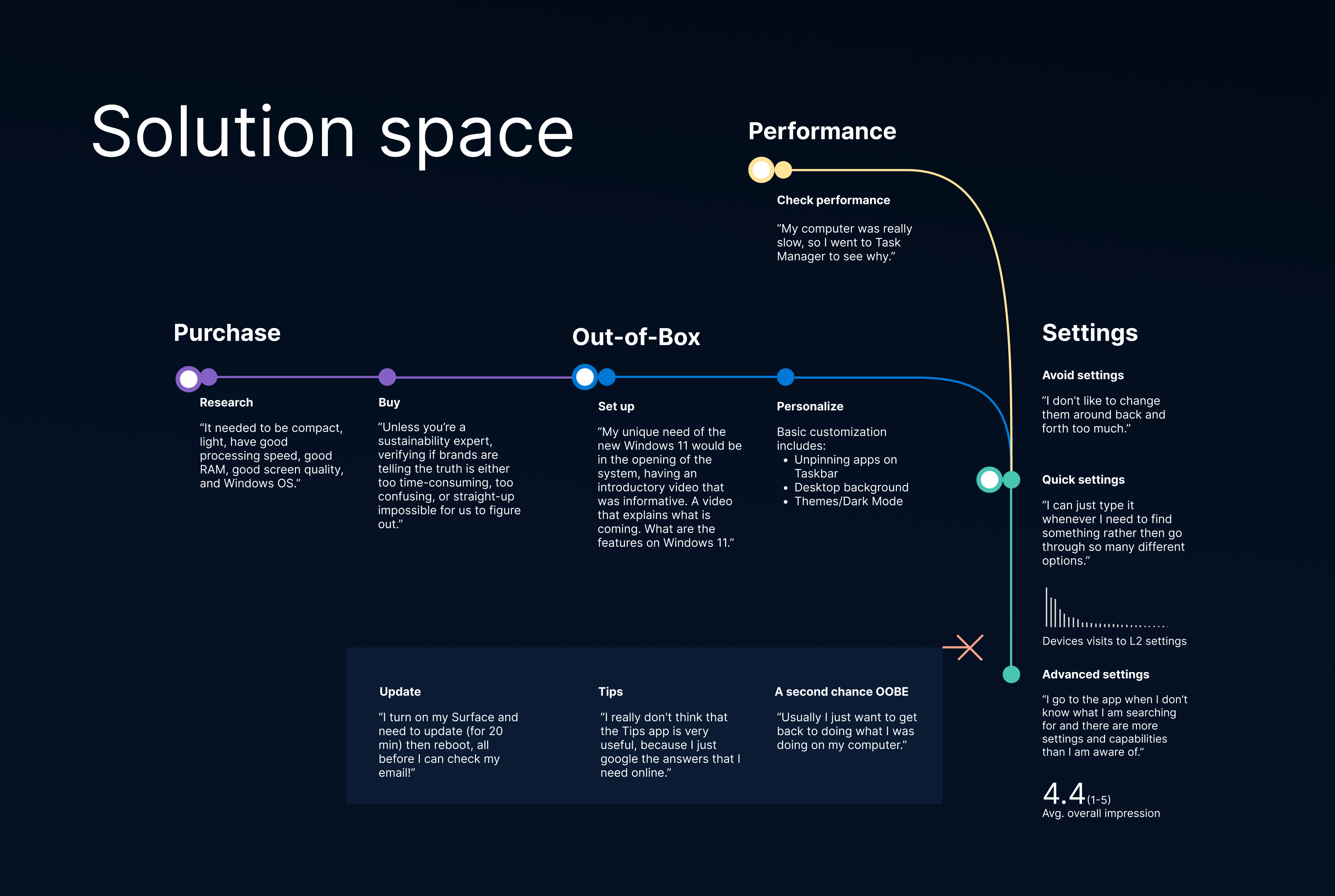
Research, surveys, and telemetry consistently surfaced the same problems:
- Sudden battery drain and unpredictable behavior
- Confusing charging states, especially Smart Charging at 80 percent
- Power controls buried deep in Settings
- Little proactive guidance for saving energy
Most users only discovered these features when something went wrong, driving frustration and uncertainty. At the same time, sustainability had become a first‑order priority for Windows, creating both an opportunity and a responsibility to redesign power management in a way that scaled globally.
 Background context
Problem statement
How might we make Windows power features feel clear, proactive, and trustworthy, while helping billions of users save energy by default?
The challenge combined UX clarity with difficult tradeoffs: automation and user control, performance and efficiency, and short‑term usability versus long‑term sustainability impact.
My role
I led overall UX and research strategy, acting as a connective layer across product, design, and engineering teams.
Responsibilities included:
- Setting product vision and UX strategy for Windows power experiences
- Leading two designers and two researchers across multiple feature areas
- Partnering with content and graphic design specialists from adjacent teams
- Partnering closely with PM and engineering on defaults, automation, and trust
- Making final UX decisions on naming, defaults, user control, and system behavior
- Prioritizing shippable experiences over higher-complexity alternatives
- Communicating tradeoffs and progress to senior stakeholders
My focus was on Core Windows and Shell surfaces, ensuring coherence and consistency at the operating‑system level.
Key tradeoffs & prioritization
A central part of my role was determining which ideas were ready for Windows scale and which needed more evidence.
A deliberate scope decision
I helped align product, design, and engineering around deferring higher-complexity concepts whose risks to reliability, predictability, and comprehension outweighed their near-term value. We concentrated the release on strong defaults, clear system behavior, and simple user controls. This protected near-term quality while preserving the broader concepts for future exploration.
Design strategy & principles
- Design for critical moments: Start with low‑battery scenarios and work outward
- Automate with escape hatches: Helpful defaults paired with simple overrides
- Clarity over cleverness: Reduce cognitive load before adding motivation
- Sustainability by default: Make energy savings the easy path, not an opt‑in
- System consistency: Align icons, language, and behaviors across Windows
Solutions implemented
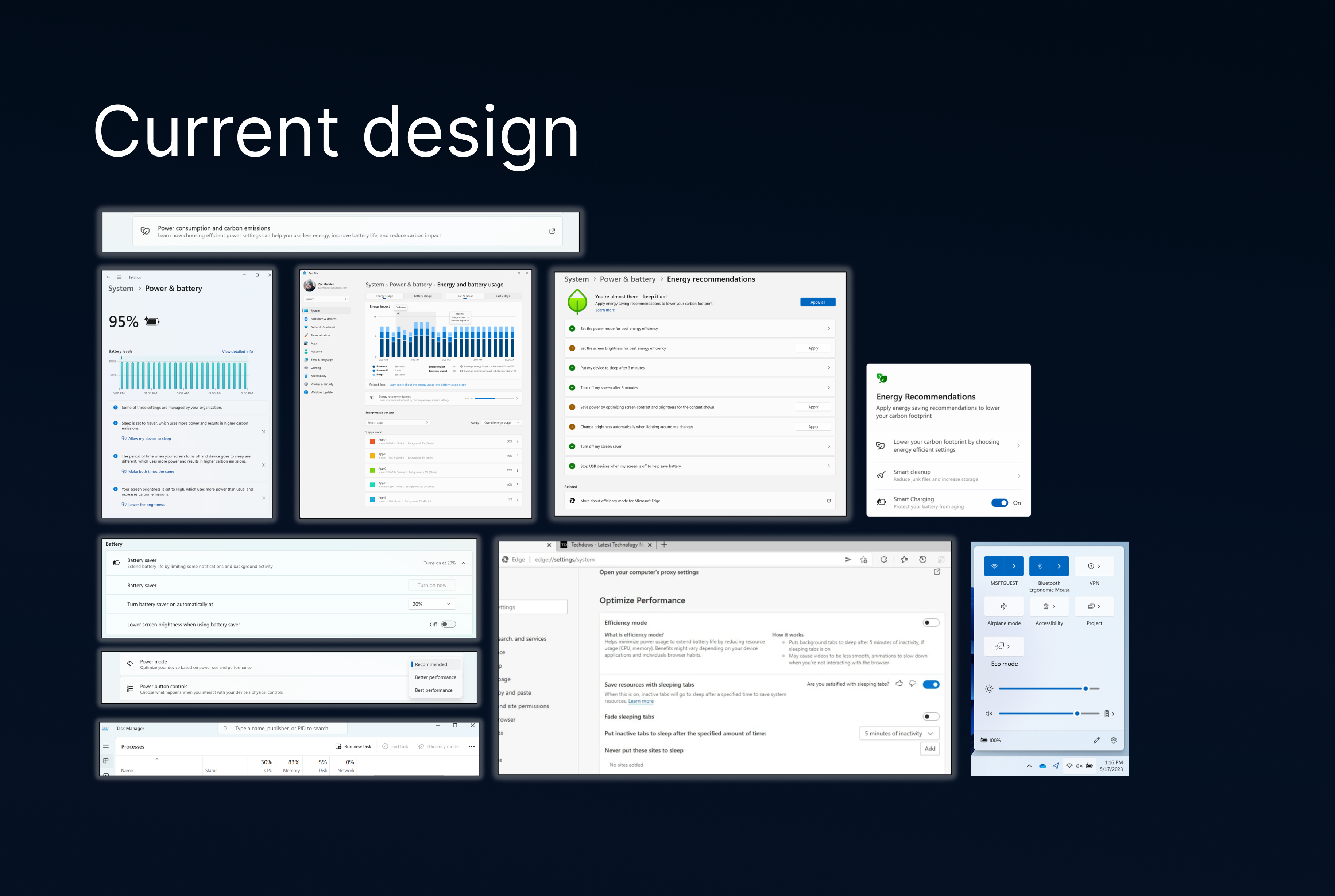
Energy Saver (rebrand and behavioral clarity)
Simplified activation logic and constrained the leaf icon to true low‑battery states to reduce ambiguity and cognitive load.
 Energy Saver design elements
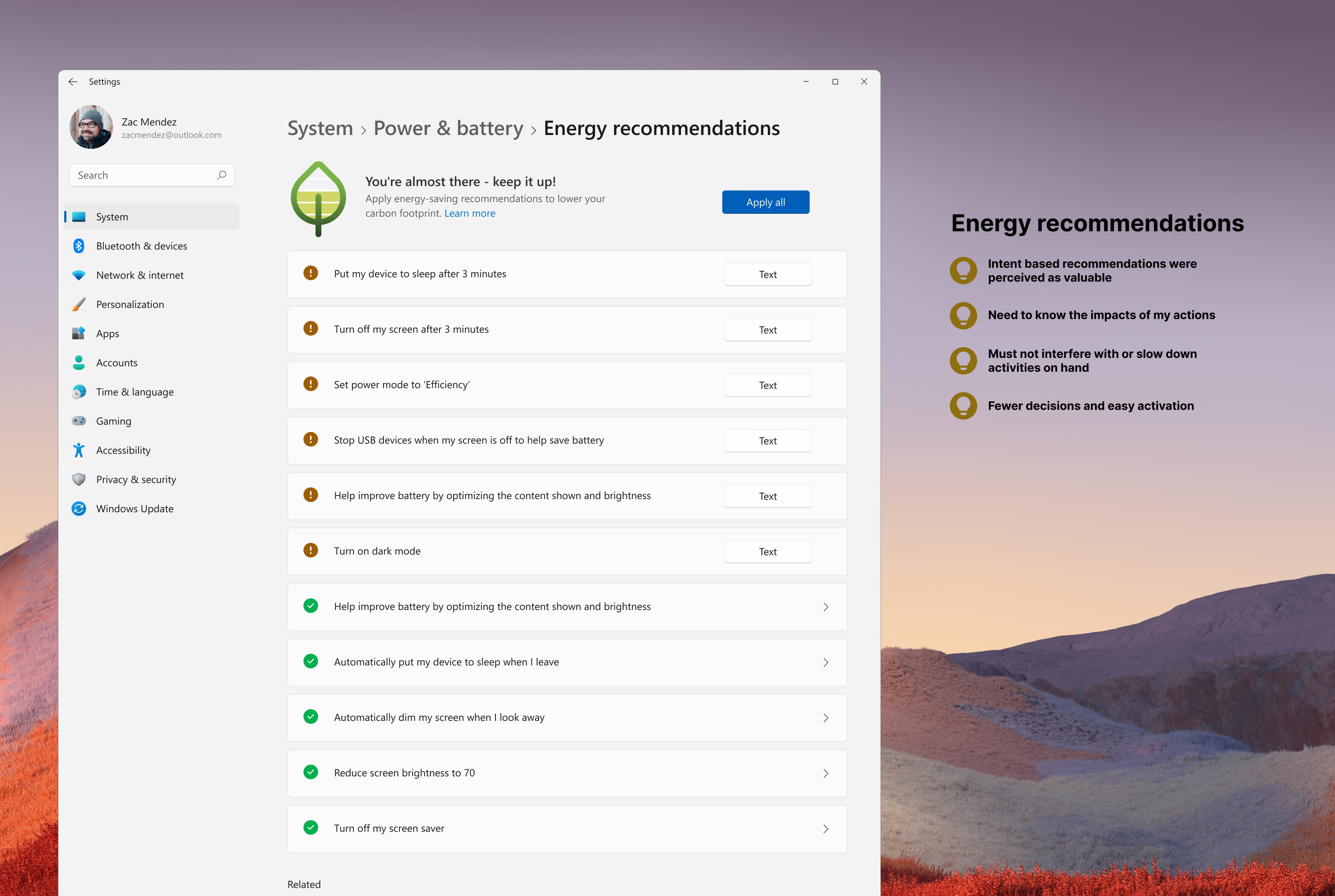
Energy Recommendations hub
A consolidated, teachable surface for high‑impact settings such as brightness, sleep, and performance, with a one‑click Apply all validated as highly discoverable in usability testing.
 Energy Recommendations hub
Smart Charging transparency
Clear explanations for 80 percent charging limits, paired with a one‑time override, addressed common Smart Charging confusion while preserving user control.
Battery icon and tooltip refresh
Unified iconography, clearer states, and improved time‑remaining estimates addressed legacy ambiguity. Internal A/B testing showed that the redesigned icons helped people estimate battery levels more accurately across key states.
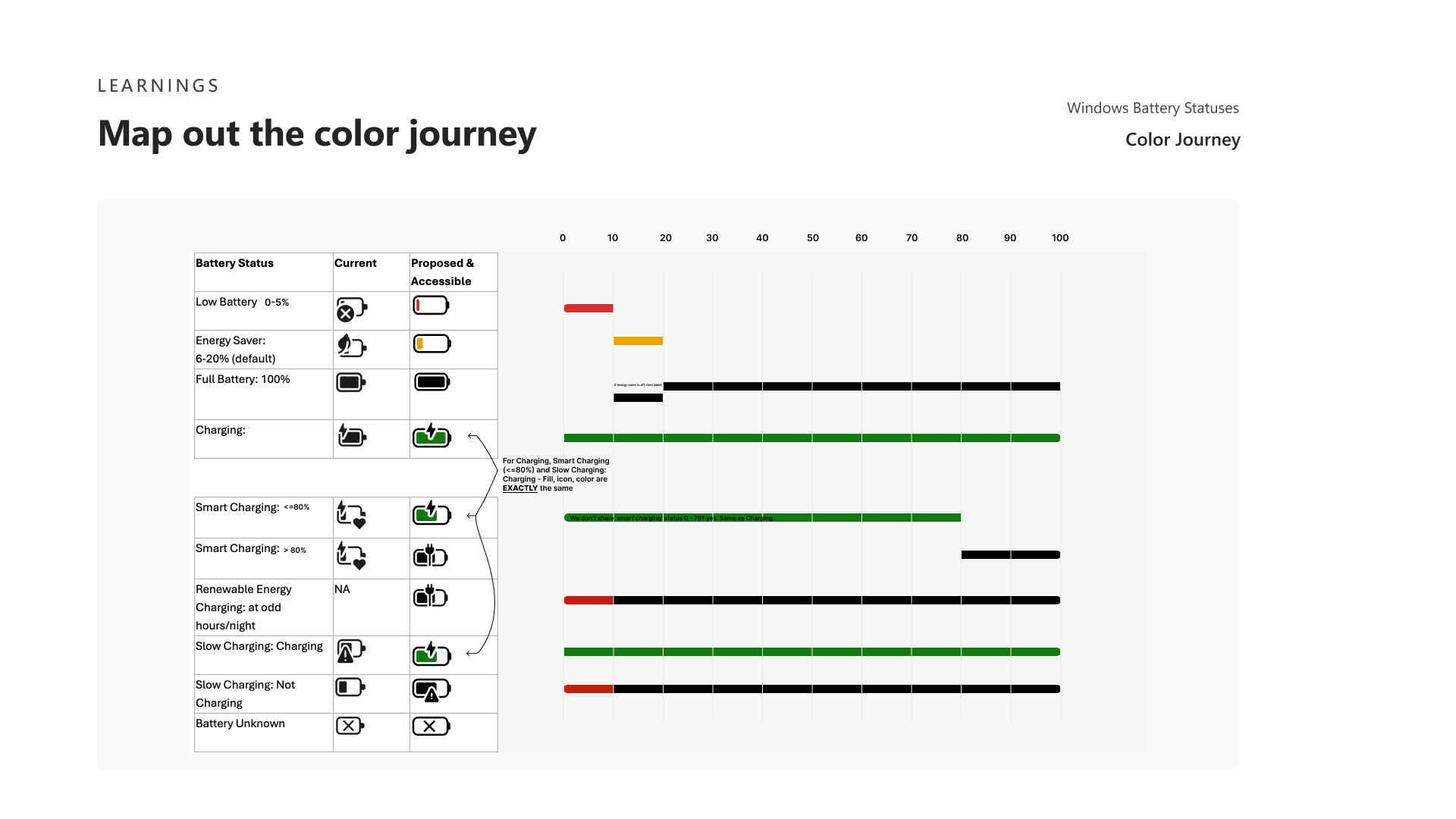 Battery state iterations
User journeys
Emergency battery saving
At low battery levels, Energy Saver automatically activates, dims the screen, pauses background tasks, and clearly explains why, helping users avoid shutdowns at critical moments.
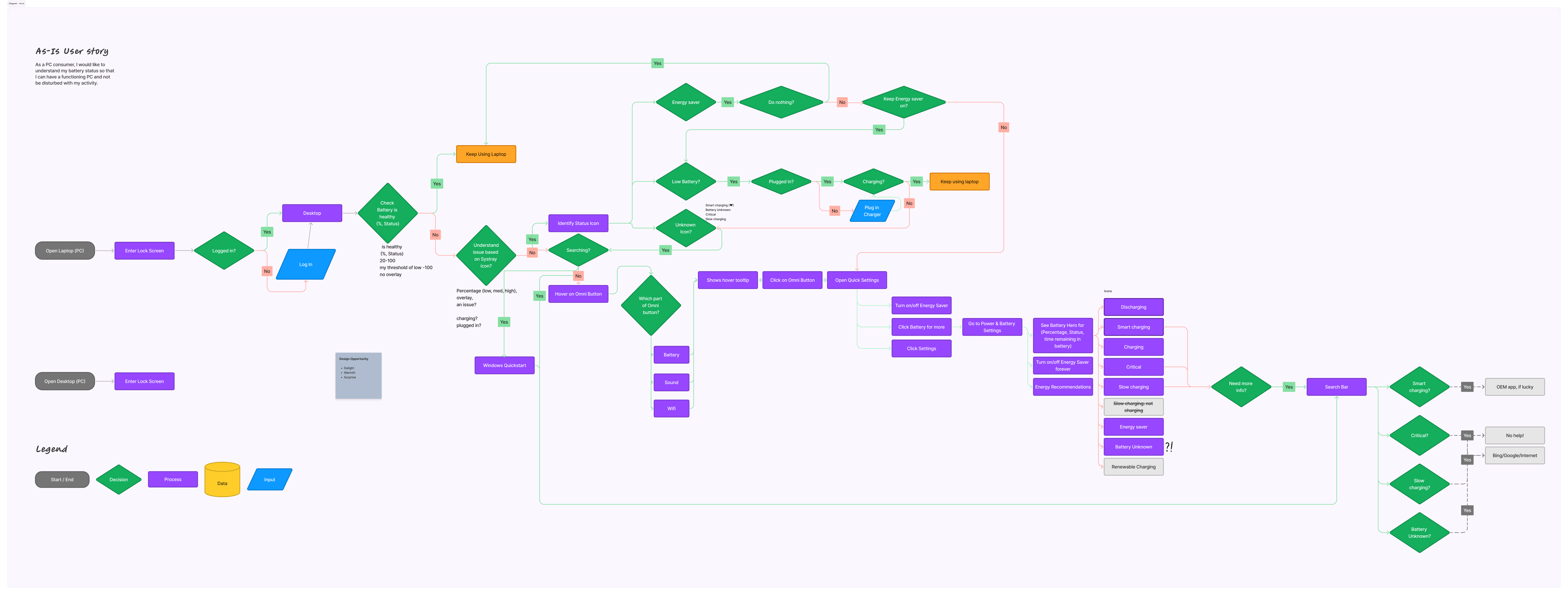 Emergency battery journey
Outcomes & impact
This work shipped in Windows and produced one directly measured usability result:
- Power experiences shipped in Windows, a platform serving 1.5B+ devices worldwide
- Battery-level estimation improved across several states in internal A/B testing
- Stronger partner confidence in UX as a driver of power and sustainability decisions
- Increased adoption of energy-saving defaults
The study measured comprehension rather than population-wide behavior or battery-life gains.
Lessons learned
- Start with reliability and trust before introducing ambition
- Automation succeeds only when users retain control
- Sustainability must be embedded in defaults, not delegated to settings
- Clear communication is essential when working across large organizations
- System‑level impact requires saying no as much as saying yes
Closing reflection
This project reflects why I’ve stayed at Microsoft: the opportunity to design at massive scale, influence foundational systems, and deliver impact that matters.
By focusing on clarity, trust, and sustainability as first‑order concerns, we raised the floor for everyday Windows experiences and created a platform for more ambitious energy innovations in the future.
Tags